
Management Software
Systems integration: what it is and why your company should adopt it
Systems integration brings speed and accuracy to decision-making. Learn what it is, the 5 types, the steps and how an ERP helps.

Managing every process that runs at the same time in a company takes several platforms. That is why organizations pursue systems integration: to simplify the routine and give the whole team more consistent data.
Do you know what this process means and how it can be carried out? In this article, we cover the following topics:
- what systems integration is;
- benefits, tools and ways to integrate software;
- reasons to integrate systems;
- advantages of an Enterprise Resource Planning (ERP) solution.
If you want to know how to build a high-performance company and improve your team’s productivity, this text is for you.
What is systems integration?
Systems integration is the practice of making all the platforms a company uses “talk” to each other. In short, the data used by different areas is centralized in a single software, which makes the process joint and automated and avoids rework.
Although it sounds like a simple concept, putting it into practice takes planning and a solid structure.
You need to map every data entry point and every path the information travels, and measure what the organization needs. All of it supported by technology.
In the end, systems integration means connecting the software the company uses for a variety of functions, such as:
- managing payments;
- serving customers;
- controlling inventory;
- manufacturing;
- running HR;
- controlling finance;
- among others.
By doing this, information becomes available, accessible and secure, ensuring that every area has access to the same data.
This means more security and efficiency for each department, and fewer errors caused by outdated, incompatible or incorrect information.
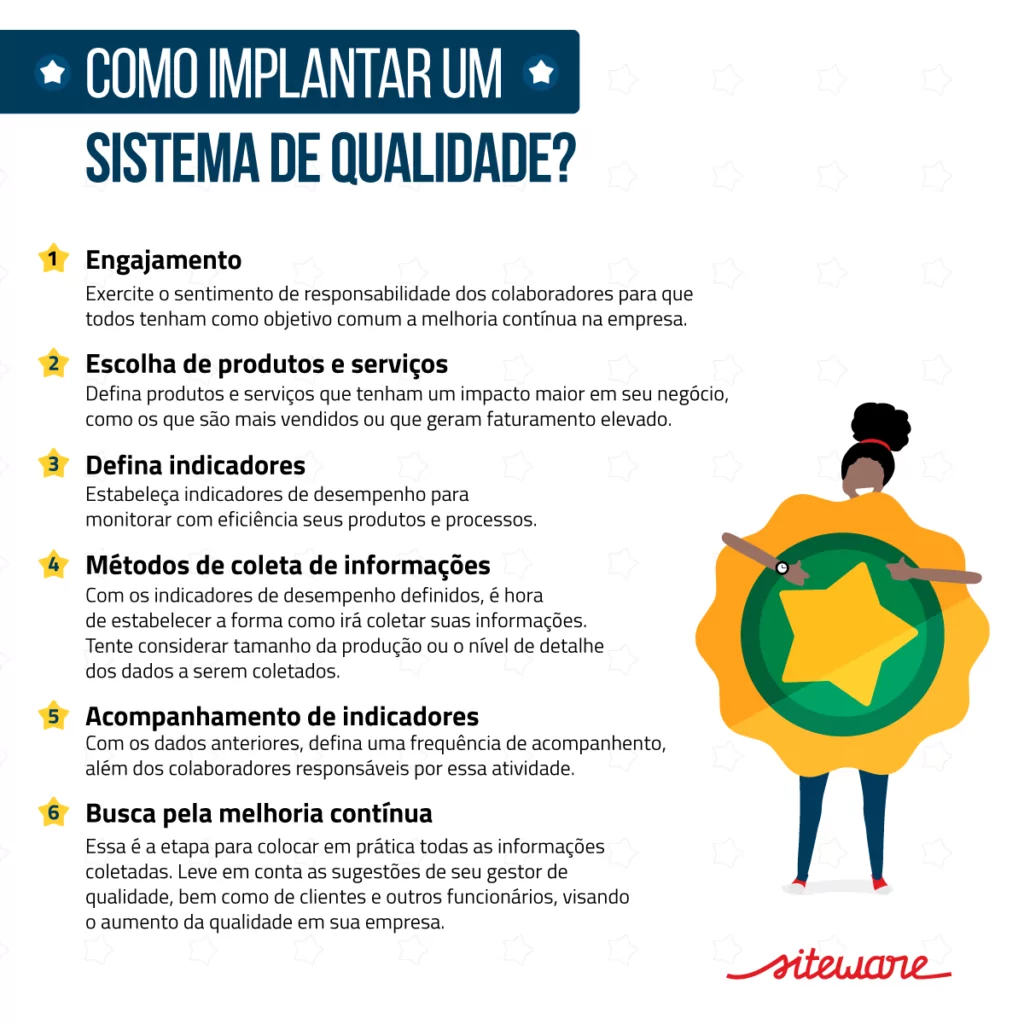
Tip! See how to implement a quality system in your company:
How does systems integration work?
Systems integration is the process of connecting different IT systems, such as applications, databases and other services, so that they operate in a cohesive, unified way. In a world where organizations often use a variety of technology solutions, the ability to make these systems “talk” to each other has become essential to optimize operations and improve efficiency.
At the start of a systems integration, organizations identify which systems need to be connected and the business goals they want to reach with that connection. This can involve improving business processes, eliminating redundancies or making sure data is consistent across the company.
Once the needs are defined, organizations choose the best approach to integration. Some opt for point-to-point integration, where systems are connected directly to each other.
Others may use middleware, a type of software that acts as an intermediary and makes communication between different systems easier. Today, integration through APIs, which are sets of rules and protocols for building and interacting with applications, has become a popular approach because of its flexibility and scalability.
Whichever approach is chosen, a critical aspect of systems integration is data transformation. Different systems often use different data formats or standards. For data to flow smoothly from one system to another, it may need to be transformed or mapped to ensure compatibility.
Synchronization is another vital component, especially for organizations that need real-time updates. It ensures that when data is updated in one system, the update is reflected in all the other integrated systems.
What happens when systems are integrated? What are the benefits?
When you decide to integrate your company’s systems, you take an important step toward better productivity.
Keep in mind that when all platforms are integrated, information becomes more reliable, and this is one of the main advantages of making that connection. Other benefits include:
1. Less rework
You no longer need to enter the same data in several systems. When you add a piece of information, it is already available in the other software the company uses.
2. Process optimization
A lack of standardization is extremely harmful to the corporate routine and to the quality of deliveries. If you already have well-established processes, integrating the systems will make them even faster and more effective.
3. Quality of service
Quick answers and accurate, accessible information for the customer service team will certainly show in your customer’s experience.
4. Team alignment
When everything is centralized, teams “talk” to each other effectively, and information is made available and updated instantly.
5. Better performance
With easy access to up-to-date information, teams are more productive. Several communication “bottlenecks” get fixed and, as a result, processes run faster and more safely.
Want to know more about productivity? Then read the article “Productivity toolsopens in a new tab: how to improve your performance without spending a cent” (in Portuguese).
By the way, here are some productivity tips for your day-to-day:

Why is integrating systems important?
Systems integration is important because it helps the company manage more efficiently, in a simple and optimized way. By creating an integrated digital environment, information is exchanged between departments, which prevents noise and rework and improves decision-making.
The result is a company with a faster routine and less room for error. At the same time, unification speeds up the administration of a large volume of data.
That makes it easier to get valuable information and relevant insights to guide decisions. Anyone who manages a business knows how crucial this is for avoiding bottlenecks.
To illustrate, the most common information exchanges for efficient management include customer data, orders, accounts payable information and invoices, among others.
In this sense, it becomes much more practical to access a customer’s data, adjust production orders and even control the organization’s cash flow better through systems integration.
What are the ways to integrate systems? 5 types
As you have seen throughout this article, this process brings several benefits to the business. But now you may be wondering: what are the ways to integrate systems?
There are basically 5 ways to integrate systems:
- electronic data interchange;
- database;
- APIs;
- horizontal integration;
- vertical integration.
Let’s explain each one in more detail, with its advantages and disadvantages, so you can understand how to integrate systems best in your business.
1. Electronic data interchange
The process works like this: you need software that acts as a translator of the data from every system to be integrated.
This means the chosen program translates the messages from each integrated tool and passes them on to the other platform.
It is considered a more complex alternative, since you need to find very specific, reliable software capable of establishing a single language across all the systems.
2. Database
In this kind of systems integration, the proposal is to share a single database among all the platforms involved.
With this alternative, the organization will need a program to extract the information.
The main disadvantage of this form of integration is data security and consistency.
After all, since the extraction task is continuous, it is vital to protect the company from possible inconsistencies generated by the software during the operation, or even from information leaks.
3. APIs
You may already know what an API is, because the acronym is still quite famous. It stands for application programming interface.
Companies have been using this solution a lot. It consists of building a bridge between the applications involved in all of the organization’s processes.
That bridge lets data be transmitted from one software to another in real time, which makes it a great alternative.
With APIs, companies can also make sure data is encrypted, which means communication is more secure.
4. Vertical integration
Vertical systems integration covers the entire production chain, from suppliers to customers. The focus is on connecting every sector of the organization with the production chain systems.
For example, this stage of integration covers logistics, distribution, market analysis and supplier management.
5. Horizontal integration
Here, all the functions carried out inside the company are integrated, such as the activities of the finance, marketing and human resources departments, in order to optimize employee productivity.
In some companies the modules of each department are separate, which causes more rework when one department needs information from another.
After the systems used in each department are integrated, the data is connected, which provides more fluidity.
The idea is for areas and activities to stay organized, automating the main tasks if possible, which creates more synchronization and reduces costs.
How to integrate systems? 4 practical steps
At this point in the text, you may already have decided that integrating systems is all your company needs to grow.
Keep in mind that, like any process, systems integration must be carried out carefully for the best possible result.
Next, see what you need to keep in mind to make sure the project is well executed and brings your business all the benefits we mentioned at the beginning of this article.
1. Set priorities
First of all, know exactly what you want from systems integration. In general, it is a way to save the team’s time, improve processes, make information more secure and so on.
Even so, it is important to align on exactly what your company is focused on with this integration. That will help you define the next steps and the best way to put the project into practice.
2. Choose the type of systems integration
Right after that, it is time to make your choice. Evaluating the options available on the market is essential to match them to your company’s reality.
After all, it does not help to have the best option in front of you if it does not fit your business’s resources and demands.
3. Gather the data and map the processes
The project starts with mapping the company’s processes and data.
This step is essential, because this data is a core input for the organization, and the idea is that, after integration, it will be more consistent and reliable, right?
With the mapping, you can organize the information and make it available in the right format for synchronization.
Don’t know how to map? Follow the step-by-step in the article “How to map business processesopens in a new tab? Discover this simple 7-step guide” (in Portuguese).
4. Involve and train your team
Teams need to be involved from the start of this project. In fact, this data is part of these people’s daily work, and the way they access and handle it will directly affect each employee’s routine.
So the people responsible for each activity are the best ones to contribute to mapping the processes and designing how information should flow between the systems.
At this point, you can identify whether the way people access data will change and arrange training for the people involved.
For an efficient, secure and successful systems integration, ideally every step happens transparently.
Teams must be aware of each step and committed to performing their roles within this project.
What are the systems integration tools?
Basically, two tools allow systems integration: ERP and CRM.
ERP stands for Enterprise Resource Planning.
It is management software used to get more financial, tax and accounting control over the organization, and its application is broad and divided into several modules.
CRM, in turn, stands for Customer Relationship Management.
Its goal is to integrate sales information and help managers identify action plans, as well as the main ways to increase sales and evaluate the sales team.
Both tools are important and can even complement each other. So it is up to each company to choose the one best suited to its needs or to adopt both.
To make this easier to understand, below we take a closer look at the advantages of choosing an ERP system.
ERP advantages
As we mentioned, this system integrates all of management. As the name indicates, it is a program, usually divided into modules, built to integrate the information from every area of the company.
So if you are already well along in deciding to integrate your company’s systems, implementing an ERP can be an interesting path.
With an integrated management system, you get benefits such as:
- greater efficiency;
- more control over processes;
- better knowledge of all operational areas;
- greater integration of all company departments;
- lower operating costs.
Why is an ERP a good option?
Because an ERP is divided into modules, it gives more flexibility to companies that cannot yet invest in integrating all their systems. With this solution, you can make the connection in stages.
And in the end, it will be simpler to have all the data and processes running in a single system, right? It is a relevant process for anyone looking to improve results and reach new levels of excellence.
Besides these advantages, we can mention:
1. Lower technology costs
If you used to need several systems running at the same time, you will now allocate resources only to monitoring and maintaining a single program.
2. Data unification
Information enters by one path only and goes through every process without loss or inconsistency. That gives you more confidence that it is correct and up to date.
3. Sharing
Data that matters to the company is not for the “exclusive” use of one department. The organization becomes much more transparent, and everyone wins by sharing data that can be used to boost sales, productivity and results.
4. Visual management
Still on transparency, an ERP lets all employees see how the company is doing. Information is updated instantly, and each team can identify its role in reaching the business goals.
Some ERP modules even allow custom dashboards, according to the company’s needs. It is a good option to simplify the performance analysis of each department.
If you want to know more about visual management and how this concept can increase engagement, we recommend the article “Visual management! See how to increase productivity and the engagement of your team” (in Portuguese).
Which sectors can an ERP integrate?
Now that you know all the advantages of this system, let’s look at which sectors it can integrate, connecting different aspects of operations.
Although the exact features may vary depending on the vendor and the specific version of the software, you can generally integrate the following sectors:
1. Finance
This includes accounting, cash management, cost control, financial planning, billing and payments.
2. Human Resources
The HRopens in a new tab modules in an ERP usually cover payroll management, benefits administration, recruiting, training, performance reviews and employee data management.
3. Inventory management
It covers inventory control, stock replenishment, order and supplier management, shipment tracking and supply chain optimization.
4. Sales and marketing
It covers lead management, sales automation, customer tracking, contract management, demand planning, sales analysis and marketing campaigns.
5. Production
The features allow planning and control, quality management, product tracking, capacity optimization and production scheduling.
6. Procurement
It involves supplier management, quotes, purchase orders, delivery tracking, and contract and spend management.
7. Customer service and support
The customer service modules in an ERP streamline ticket management, customer support, service contract management, preventive maintenance and warranty management.
8. Project management
The project management features in an ERP enable planning, resource allocation, progress tracking, task management and collaboration on projects.
These are just a few examples of the sectors that can be integrated through an ERP system, and the scope may vary depending on the software chosen.
Centralize performance management
If you want to reach high performance, you need project management software that helps you see the status of the entire portfolio, lets you manage the portfolio and monitors the full evolution of the schedule.
With this business management system, you connect performance indicators and centralize them so decisions are easier, for constant improvement of your performance.
By the way, one management software that stands out on the market is Stratwsopens in a new tab, which gives you more time to plan, manage and engage your team around a results culture.
It is software developed by Siteware so you can move forward on your objectives and goals. In a single place, you can:
- connect projects;
- run action plans;
- delegate tasks.
The result is decisions that are more accurate and backed by data.
Talk to an expert and start using the software to achieve business success!


About the author
Equipe Siteware
Content produced and reviewed by the Siteware team, curated by internal experts in strategic management and corporate performance.